Magento 2 Sort By Position Not Working: 9 Steps To Fix It
[Updated: March 18, 2026]
Products displaying in the wrong order despite setting positions? This Magento 2 sorting bug traces back to search engine adapter issues, cache conflicts, or wrong configuration.
This guide covers every fix from admin panel checks to database-level debugging.
Key Takeaways
-
Magento 2 sort by position assigns each product a rank number that controls display order in categories.
-
The most common root cause is the search engine adapter not passing position parameters to queries.
-
Fixes include verifying positions, clearing cache, reindexing, and resolving extension conflicts.
-
Third-party extensions add custom sorting rules, bulk position management, and extra sort options.
What Is Magento 2 Sort By Position?
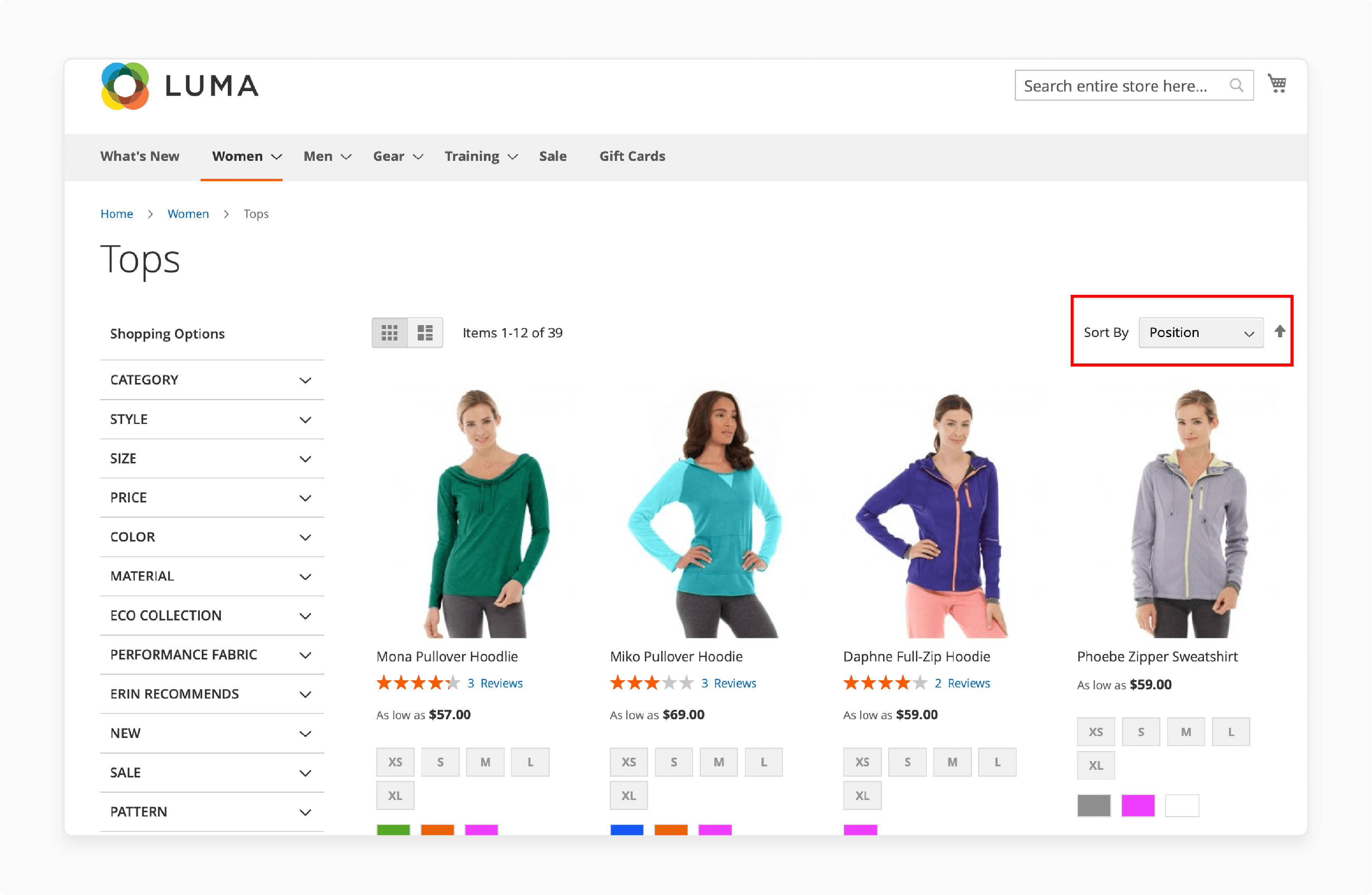
Sort by position controls product display order within categories. Each product gets a position number that determines its rank on category pages. Lower numbers appear first.
Admins set positions under Catalog > Categories > Products in Category. This is the default sort method for product listings.
Why Is Magento 2 Sort By Position Not Working?
1. Search Engine Adapter Bug
This is the most common root cause. The Elasticsearch or OpenSearch adapter fails to pass position sort parameters to queries. Products get sorted by entity ID or relevance score instead of their assigned position.
Adobe tracked this bug in GitHub issues #31758 (Magento 2.4.1) and #34502 (Magento 2.4.3+). Both are marked as fixed. But stores with custom extensions or older migrations still encounter it. A proper Magento 2 Elasticsearch configuration resolves most cases.
Note: As of Magento 2.4.8, Elasticsearch is deprecated. OpenSearch 2.19+ is the recommended search engine.
2. Incorrect Product Position Values
Position values in the admin panel may be missing or set to zero. Products without valid positions (1, 2, 3...) fall back to default sort order. Check and correct positions for every product in the affected category.
3. Conflicting Third-Party Extensions
Some extensions override Magento's default sorting behavior. They change sort settings or inject custom queries that ignore position values. Disable extensions one by one to identify the conflict.
4. Cache Not Cleared After Changes
Position changes do not appear on the frontend until the cache is flushed. Clear all cache types after updating positions. Combine cache clearing with reindexing for reliable results.
5. Store View Mismatch
If store view settings do not align with product positions, sorting fails. Products may have positions set for one store view but display on another. Verify positions match the correct store view.
6. Wrong Category Configuration
The category must have "Position" selected as an allowed sort method. If the category configuration does not include position sorting, products default to another sort order.
7. PHP Errors
PHP errors in the Magento setup stop sorting from working. Check var/log/system.log and var/log/exception.log for errors. Outdated PHP versions or misconfigured modules cause these issues.
Note: Magento 2.4.8 requires PHP 8.3 or 8.4.
8. Attribute Misconfiguration
Sorting depends on correct attribute settings. If the position attribute is disabled or missing from the catalog configuration, sorting breaks. Verify attribute settings under Stores > Attributes > Product.
How To Fix Magento 2 Sort By Position
Step 1: Check Category Product Positions
-
Go to the Magento Admin Panel.
-
Navigate to Catalog > Categories.
-
Select the category where sorting fails.
-
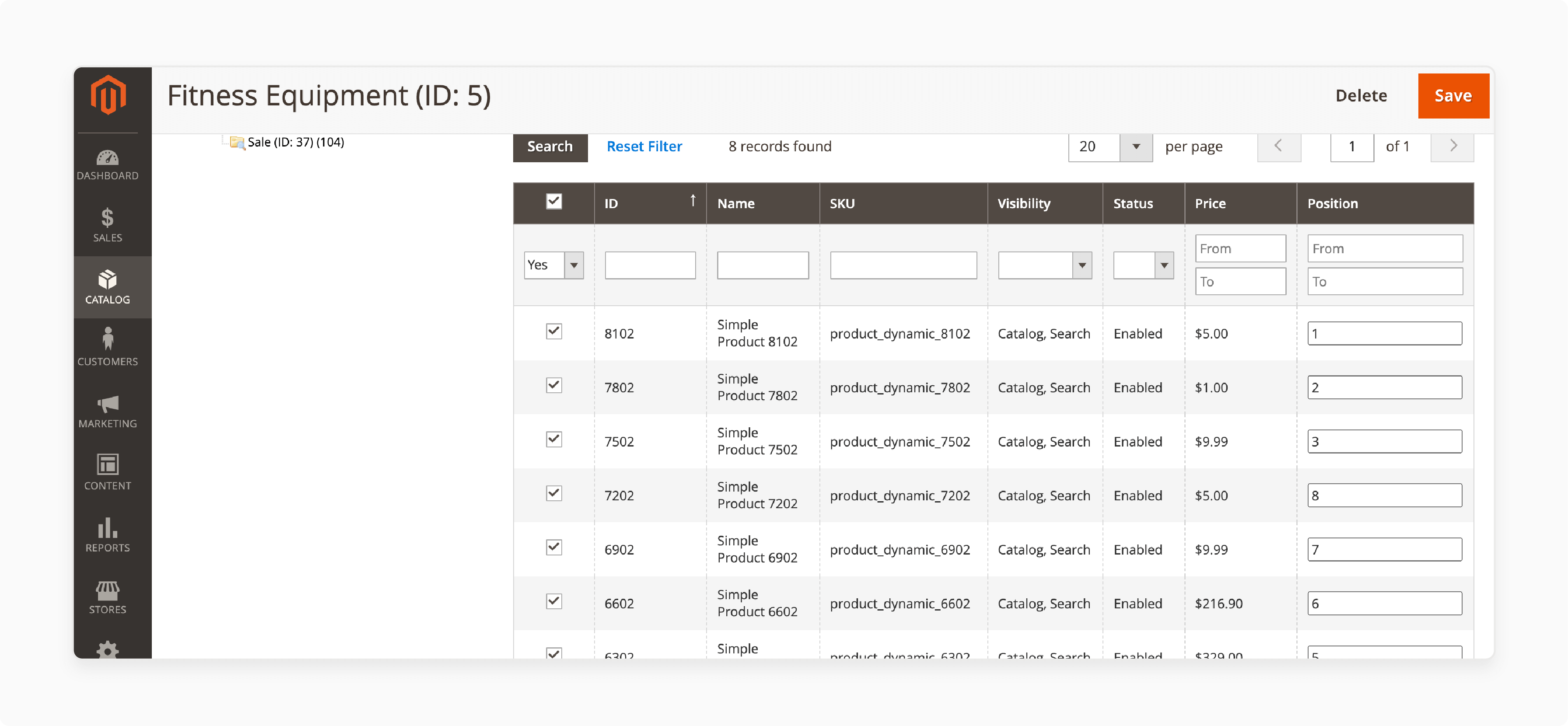
Under Products in Category, check the Position column.
-
Assign valid position values (1, 2, 3...) to each product.
-
Save changes.
Step 2: Verify Sorting Configuration
-
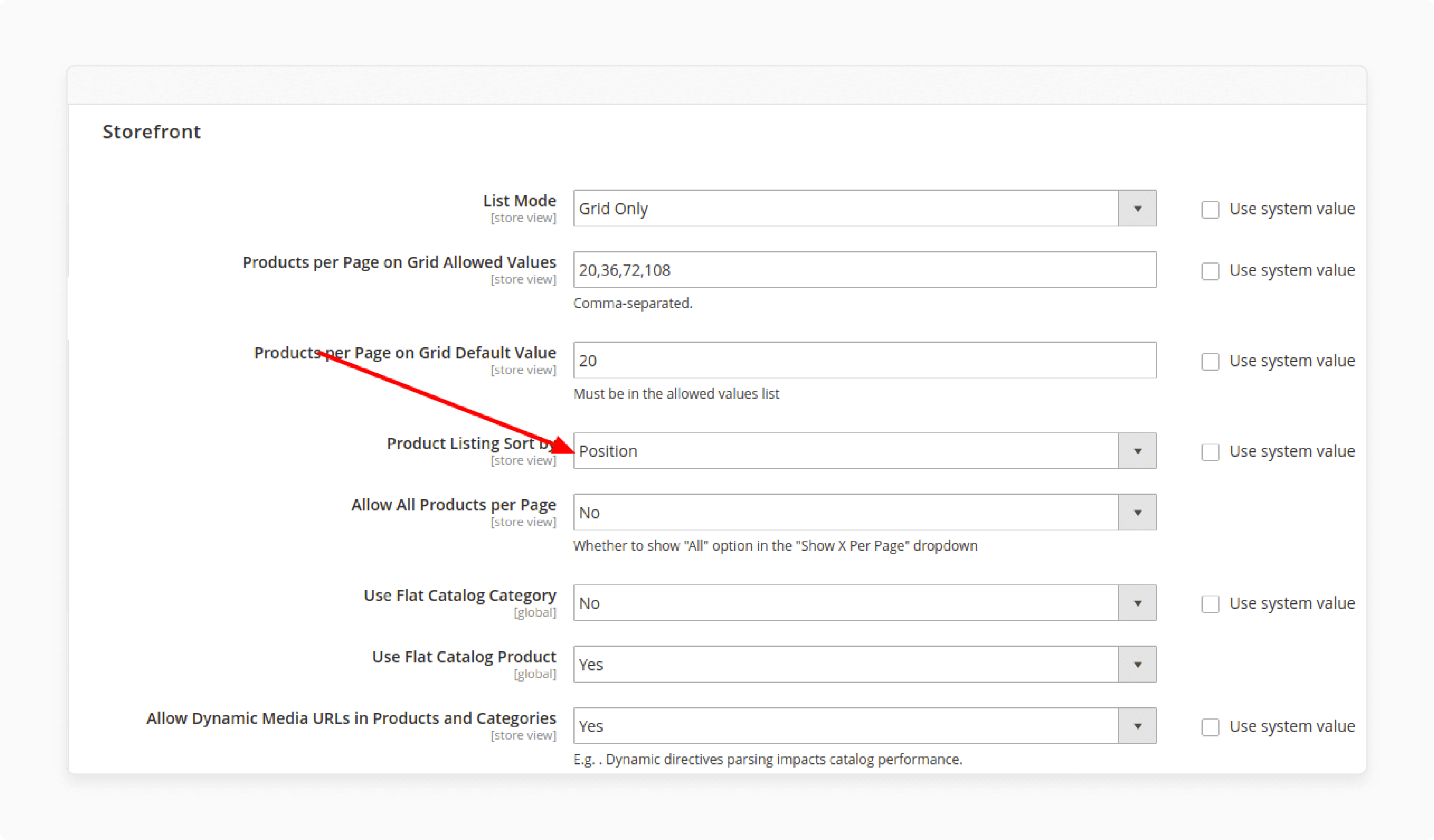
Go to Stores > Configuration > Catalog.
-
Under the Storefront section, find Product Listing Sort By.
-
Select Position in the dropdown.
-
Confirm Position is listed in Available Product Listing Sort By.
-
Click Save Config.
Step 3: Clear Cache and Reindex
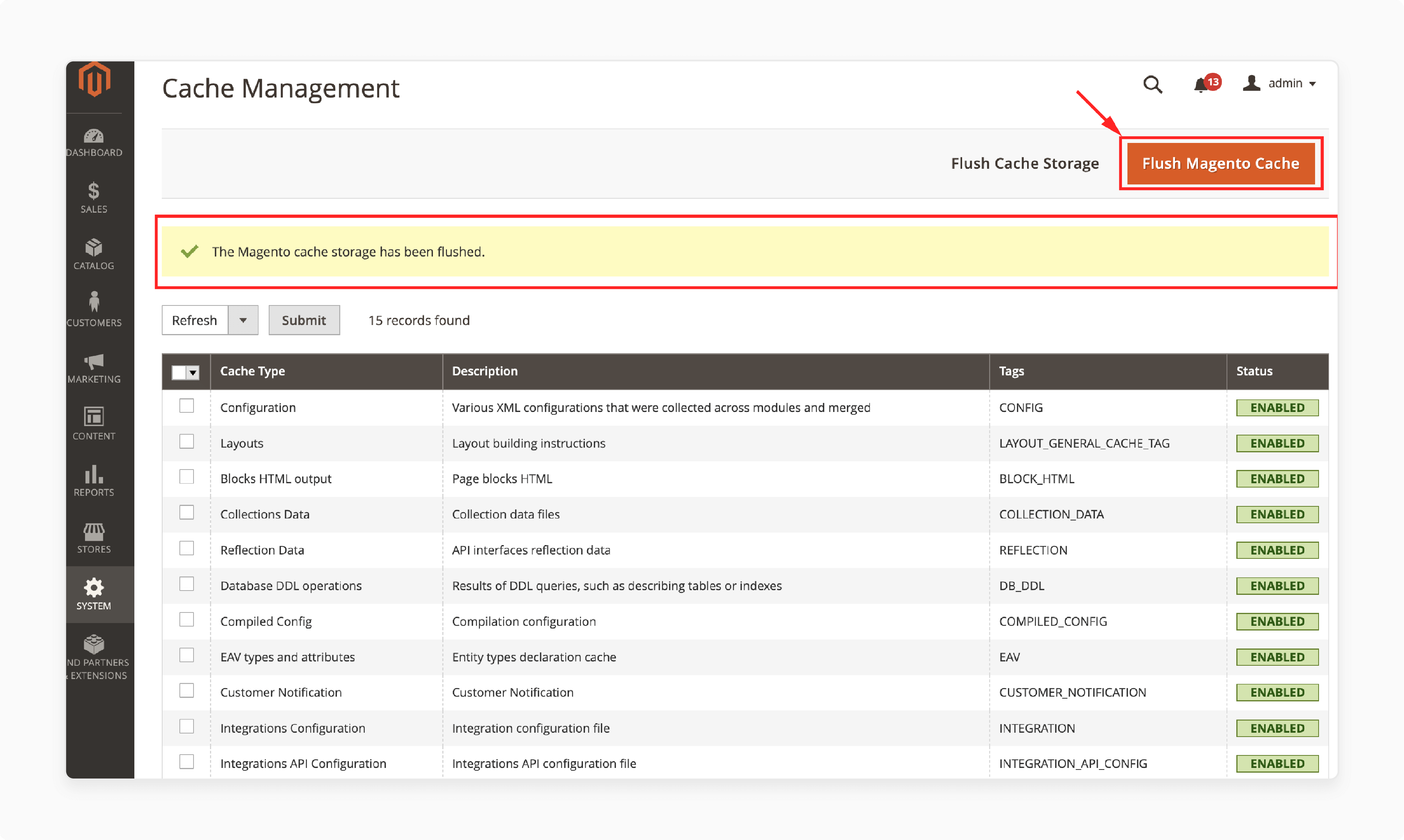
Clear the cache first, then reindex all data:
php bin/magento cache:clean
php bin/magento cache:flush
php bin/magento indexer:reindex
For targeted cache clearing, you can clear and manage specific cache types through the admin panel under System > Cache Management.
Step 4: Verify on the Frontend
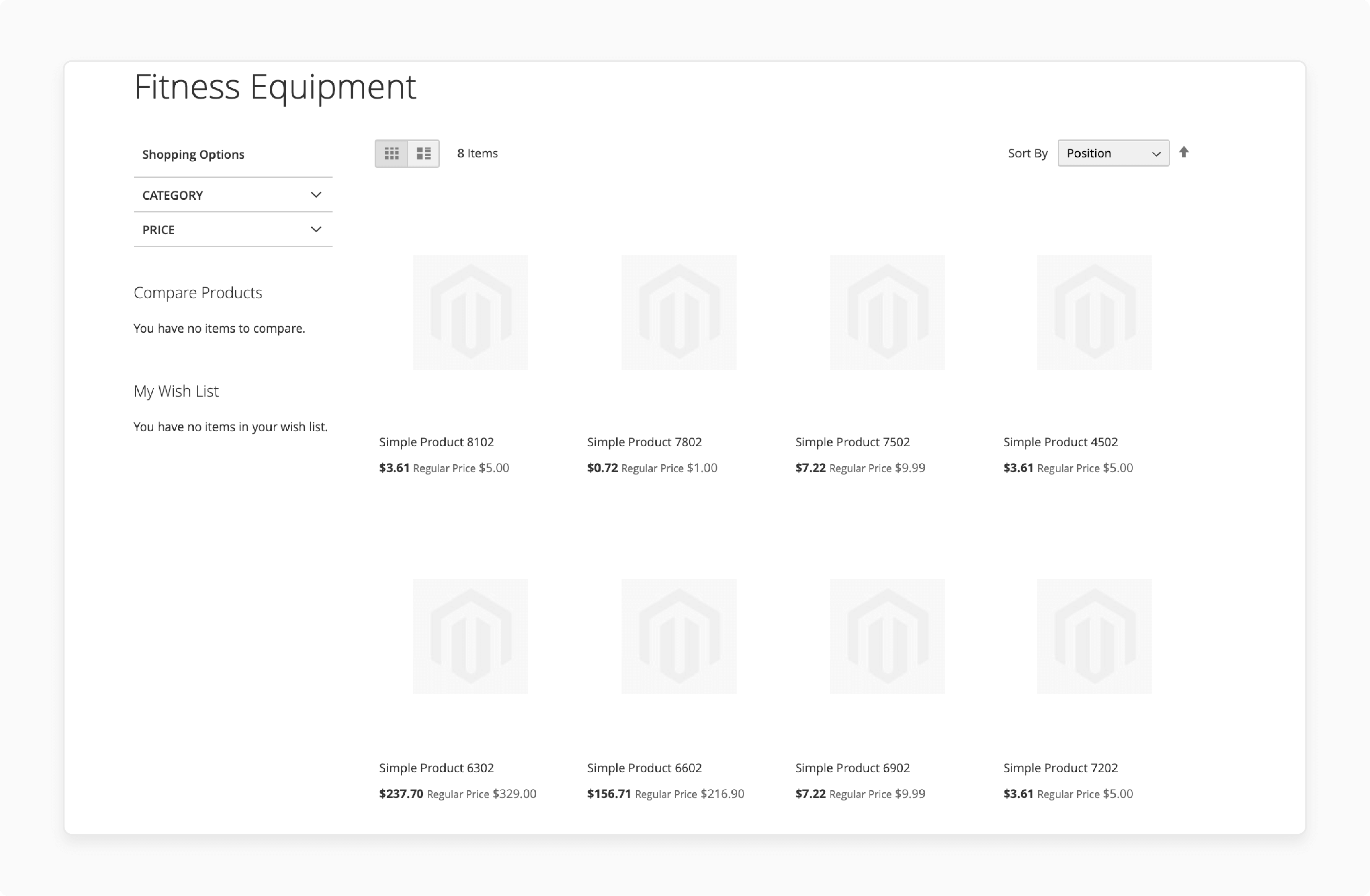
Visit your storefront and navigate to the affected category page. Confirm products display in the correct position order. If sorting still fails, continue to the next steps.
Step 5: Check for Extension Conflicts
Switch to the default Magento Luma theme and disable third-party extensions:
php bin/magento module:disable Vendor_Module
php bin/magento cache:flush
Test if sorting by position works with extensions disabled. If it does, enable extensions one by one to find the conflict.
Step 6: Verify Search Engine Configuration
Check your search engine setup. The search engine adapter is the most common cause of position sorting failures.
For Magento 2.4.8, verify OpenSearch or Elasticsearch is configured and running:
php bin/magento indexer:status
php bin/magento indexer:reindex catalogsearch_fulltext
If position sorting works with MySQL search but not with Elasticsearch/OpenSearch, the adapter is the issue. Update to the latest Magento patch or apply the programmatic fix in Step 9.
Step 7: Debug the Database
Check position values in the catalog_category_product table:
-- Find products with missing or zero position values
SELECT * FROM catalog_category_product
WHERE category_id = YOUR_CATEGORY_ID
ORDER BY position;

-- Fix missing positions
UPDATE catalog_category_product
SET position = 10
WHERE category_id = YOUR_CATEGORY_ID
AND (position IS NULL OR position = 0);
After database changes, flush the cache and reindex:
php bin/magento cache:flush
php bin/magento indexer:reindex
Step 8: Force Full Reindex
When standard reindexing does not resolve the issue, reset all indexers:
php bin/magento indexer:reset
php bin/magento indexer:reindex
php bin/magento cache:flush
This reprocesses all data from scratch. Run it during low-traffic hours.
Step 9: Override Sorting With a Custom Module
If the search engine adapter bug persists, override the product collection sort in a custom module:
namespace Vendor\Module\Plugin;

use Magento\Catalog\Model\ResourceModel\Product\Collection;

class SortByPositionFix
{
    public function afterAddCategoryFilter(Collection $subject, $result)
    {
        $subject->setOrder('position', 'ASC');
        return $result;
    }
}
Register the plugin in your module's di.xml:
<type name="Magento\Catalog\Model\ResourceModel\Product\Collection">
    <plugin name="fix_sort_by_position"
            type="Vendor\Module\Plugin\SortByPositionFix"
            sortOrder="10" />
</type>
Deploy and flush the cache after adding the module:
php bin/magento setup:upgrade
php bin/magento setup:static-content:deploy
php bin/magento cache:flush
Third-Party Extensions for Sorting
1. Extra Sorting Options
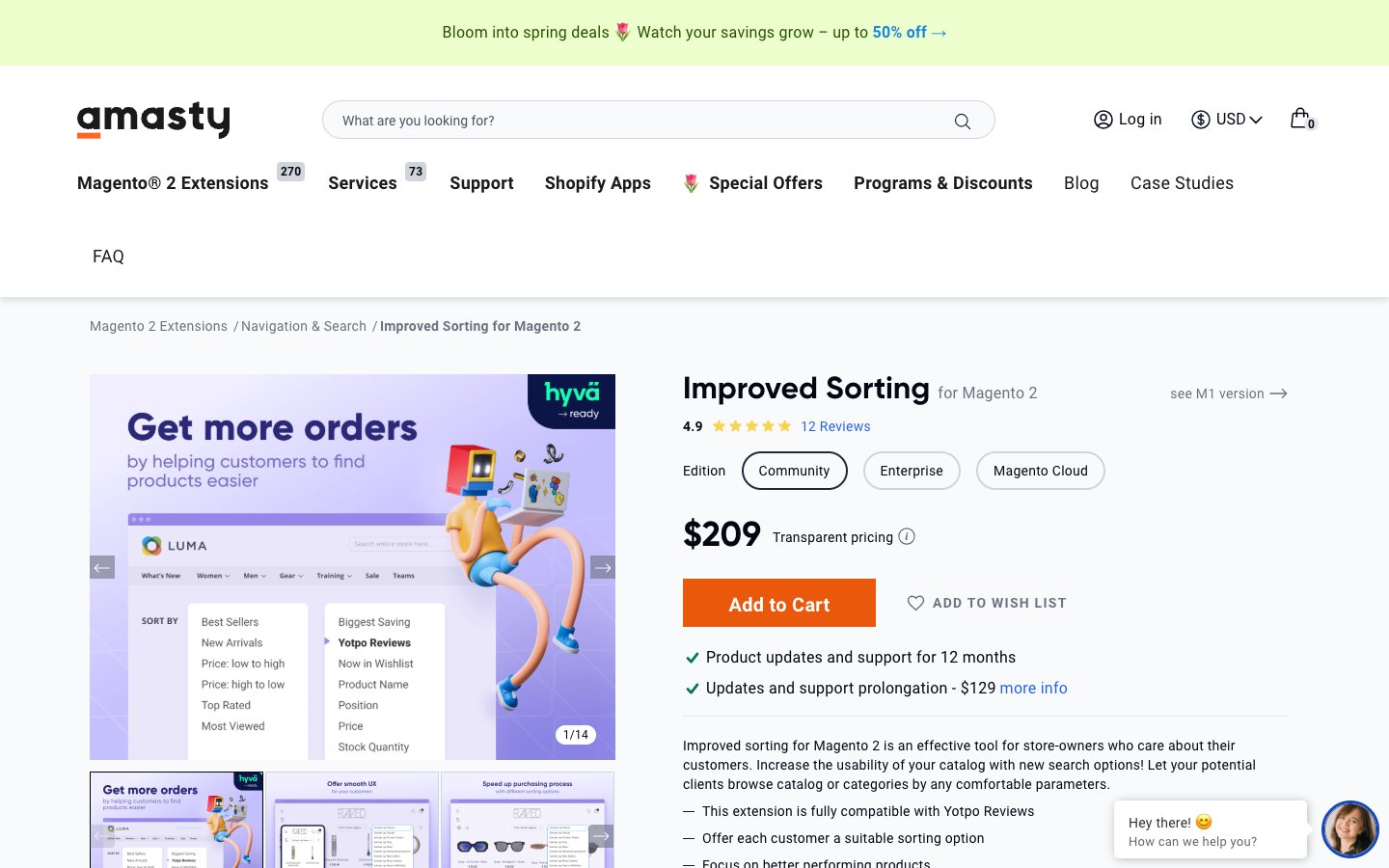
Improved Sorting by Amasty adds sorting options beyond Magento defaults. Customers can sort by bestsellers, most viewed, top rated, and new arrivals.
2. Custom Sorting Rules

Category Sort By Extension by Weltpixel creates custom sorting rules. Sort by top sellers, newest, or rating per category.
3. Bulk Sorting
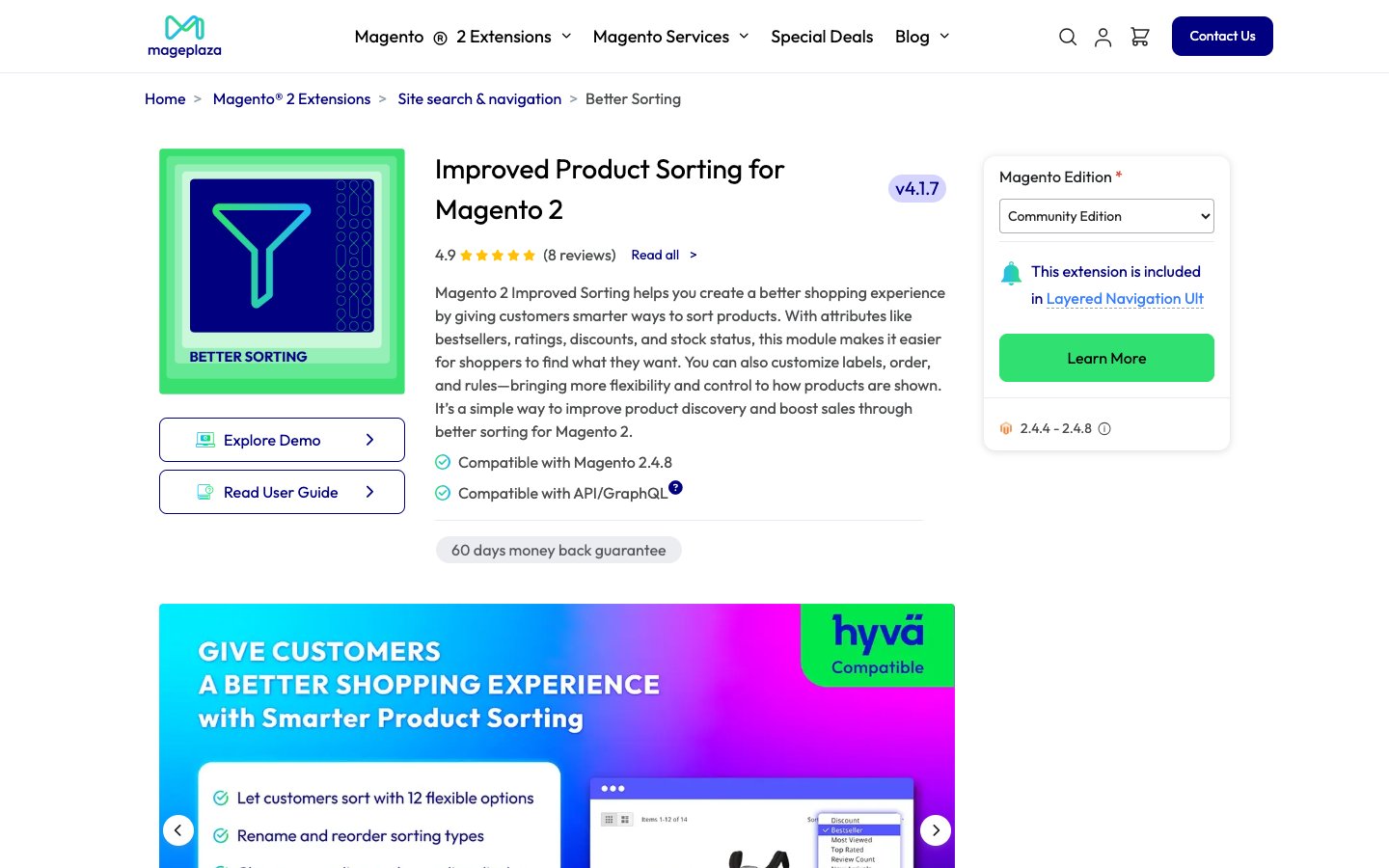
Improved Product Sorting by Mageplaza handles large product catalogs. Set positions for hundreds of products at once with bulk operations.
FAQ
1. What should I do if position values are missing from the category?
Go to Catalog > Categories, select the category, and open Products in Category. Assign a position number (1, 2, 3...) to each product. Save changes and clear the cache.
2. Does Magento 2.4.8 fix the sort by position bug?
Adobe marked the known sorting bugs (#31758, #34502) as fixed. Stores running 2.4.8 with a clean installation should not experience this issue. Custom extensions or migrated stores may still need the programmatic fix from Step 9.
3. Can I use MySQL search instead of Elasticsearch to fix sorting?
MySQL search handles position sorting without issues. But Magento 2.4+ requires Elasticsearch or OpenSearch for production use. Switching to MySQL is a temporary debug step, not a production solution.
4. Why does Magento show an error when changing product positions?
Check for conflicts with third-party extensions. Review PHP error logs at var/log/system.log and var/log/exception.log. Clear the cache and reindex after resolving errors.
5. Can sorting by position improve conversion rates?
Correct sorting reduces customer frustration and improves product discovery. Products that customers find faster lead to higher conversion rates. Position sorting gives store owners full control over product presentation.
6. How do third-party extensions improve sorting?
Extensions add options that Magento does not include by default. Features include sorting by bestsellers, rating, newest, and stock status. Some extensions also automate position assignment for large catalogs.
7. What is the catalog_category_product table in Magento 2?
This MySQL database table stores the relationship between products and categories. It includes the position column that controls sort order. Products with missing or zero position values in this table display in wrong order.
8. Should I contact support if none of these fixes work?
Open a support ticket with Adobe Commerce if you run a licensed version. Include your Magento version, PHP version, search engine type, and screenshots of the issue. For open source editions, post on the Magento Community forums or GitHub.
Summary
Magento 2 sort by position not working stems from search engine adapter bugs, cache issues, or configuration errors. The Elasticsearch/OpenSearch adapter is the most common cause in Magento 2.4.x stores.
Start with admin panel checks (positions, configuration, cache). Move to database debugging and programmatic fixes if basic steps do not resolve the issue. Third-party extensions add advanced sorting for stores that need more than default position sorting.
For reliable Magento performance with search and sorting, explore our managed Magento hosting services.