Magento Hosting for Large-Scale Campaigns: Infrastructure Checklist
[Updated: March 23, 2026]
Your Magento store runs fine on a normal Tuesday. Then you launch a flash sale, send 500,000 emails, and traffic jumps 10x in 30 minutes. That is when hosting becomes the bottleneck.
This guide covers the infrastructure decisions that separate a smooth campaign from a crashed checkout.
Key Takeaways
- Standard single-server setups fail at 3-5x normal traffic without proper caching and scaling
- A campaign-ready stack combines Varnish full-page cache, Redis for sessions, a CDN for static assets, and auto-scaling for compute
- Load test at 10x expected traffic at least two weeks before every campaign
- Code freeze one week before launch prevents last-minute instability
- Managed hosting providers handle infrastructure scaling so you focus on the campaign itself
What is Magento Hosting for Large-Scale Campaigns?
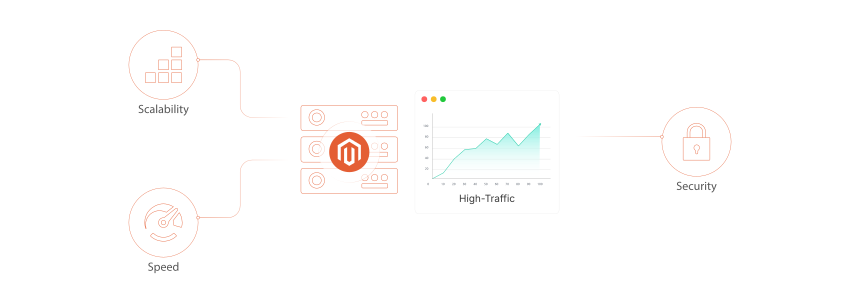
Magento hosting for large-scale campaigns = infrastructure configured to absorb traffic spikes of 5-10x normal load without performance loss. The tradeoff: higher cost for reserved capacity vs. revenue lost when your store goes down during peak hours.
Perfect for: Stores running Black Friday sales, product launches, email blasts, flash deals, or viral marketing campaigns.
Not ideal for: Low-traffic stores with steady visitor counts and no promotional calendar.
Large-scale campaigns push Magento stores beyond normal operating limits. A product launch email hitting 200,000 inboxes can drive 20,000 concurrent sessions within minutes. Black Friday traffic hits 5-10x daily averages for most ecommerce stores.
Standard hosting plans allocate fixed resources. When demand exceeds those resources, pages slow down, checkout times out, and orders drop. Research from Portent shows that conversion rates decrease by an average of 4.42% for every additional second of load time. At $50 average order value, a 3-second delay during a 10,000-visitor campaign costs thousands in lost revenue.
Campaign-ready hosting solves this through three pillars: caching (reduce server work per request), scaling (add capacity when demand rises), and redundancy (failover when components fail).
Why Standard Hosting Fails During Campaigns
A standard Magento store on a single server handles 50-100 concurrent users without issues. Campaigns can push that number to 500-5,000+ in minutes. Here is where things break:
Database bottleneck. Magento makes hundreds of database queries per page load. Under heavy traffic, MySQL connections saturate, and pages either load in 10+ seconds or time out. Proper database optimization is critical before any campaign launch.
PHP worker exhaustion. Each visitor request occupies a PHP-FPM worker. A single server with 16 workers maxes out at 16 concurrent uncached requests. The rest queue up.
Memory pressure. Magento 2.4.8 (the current stable release as of March 2026) needs a minimum of 2GB RAM for PHP alone. Under campaign load with multiple extensions, 8GB servers crash. Production stores need 32GB+ for peak periods.
No horizontal capacity. Single-server setups cannot distribute load. You either handle the traffic or you don't. There is no middle ground.
Pre-Campaign Infrastructure Checklist
Start preparing two weeks before any campaign launch. Not the day before.
Two weeks out:
- Run load tests at 10x expected concurrent users
- Review server access logs from previous campaigns for traffic patterns
- Verify all caching layers are active (Varnish, Redis, OPcache)
- Confirm CDN configuration caches static assets across edge locations
- Test auto-scaling triggers and verify new instances provision within 2-3 minutes
One week out:
- Implement a code freeze. No deployments, extension updates, or configuration changes
- Warm all caches (full-page, block, API response)
- Verify hosting requirements match your current traffic projections
- Confirm backup schedules run on an hourly basis during the campaign window
- Brief your team on who monitors what, escalation paths, and rollback procedures
Day of launch:
- Monitor server metrics in real time (CPU, RAM, disk I/O, database connections)
- Have your hosting provider on standby for manual intervention
- Stagger email sends to control traffic ramp-up (send in 30-minute intervals between batches)
- Disable non-essential cron jobs to free server resources
The Right Hosting Stack for Peak Traffic
Magento campaign hosting is not one product. It is a stack of services working together. Each layer reduces the load on the next.
Varnish Full-Page Cache
Varnish sits in front of your web server and serves cached pages without touching PHP or MySQL. A well-configured Varnish instance handles 10,000+ requests per second on modest hardware. That turns a 2-second page load into a 50-millisecond response for cached pages.
Magento 2.4.8 supports Varnish 7.6 with built-in VCL configuration. For campaigns, ensure your cache hit ratio exceeds 90%. Monitor cache misses and add custom VCL rules for campaign landing pages.
Redis for Session and Cache Storage
Redis stores Magento's cache backend and user sessions in memory. Without Redis, Magento writes sessions to files or the database, both of which become bottlenecks under load.
Use separate Redis instances for cache and sessions. This prevents a cache flush from logging out all active shoppers mid-checkout. Magento 2.4.8 requires Redis 7.2.
Content Delivery Network
A CDN for Magento offloads static assets (images, CSS, JavaScript) to edge servers worldwide. This reduces origin server load by 60-80% for asset-heavy product pages. During campaigns, the CDN absorbs the bulk of bandwidth while your origin server focuses on dynamic content.
Web Server and PHP
Nginx 1.26 with PHP 8.3 or 8.4 is the recommended stack for Magento 2.4.8. Enable OPcache to avoid recompiling PHP on every request. Set realpath_cache_size to 10M and realpath_cache_ttl to 7200 for Magento's deep directory structure.
Auto-Scaling: Horizontal vs Vertical
Two approaches exist for adding capacity during campaigns. Most stores need a combination of both.
Vertical scaling adds resources to your existing server: more CPU cores, more RAM, faster storage. Simple to implement, but limited by hardware maximums. It requires downtime for physical servers.
Horizontal scaling adds more servers behind a load balancer. Each server handles a portion of traffic. This approach has no upper limit and works without downtime. Auto scaling on AWS can add instances in under 3 minutes based on CPU thresholds or request queue depth.
For campaigns, horizontal scaling with auto-scaling policies is the standard approach:
- Scale out at 70% average CPU across the cluster
- Scale in at 30% to avoid paying for idle capacity
- Set minimum instance count higher during campaign windows
- Pre-warm instances 30 minutes before email sends
Load Testing Before Every Campaign
Never launch a campaign on untested infrastructure. Load testing reveals bottlenecks before real customers hit them.
Tools that work with Magento:
| Tool | Type | Best For |
|---|---|---|
| Gatling | Open source | Realistic user journey simulation |
| k6 | Open source | Developer-friendly scripting |
| Apache JMeter | Open source | Complex scenario modeling |
| Loader.io | Cloud SaaS | Quick concurrent user ramps |
How to test:
- Create realistic user journeys: browse catalog, search products, add to cart, complete checkout
- Start with your current daily peak traffic as baseline
- Ramp to 5x, then 10x that baseline over 15 minutes
- Monitor response times, error rates, and server metrics at each stage
- Identify the breaking point, then optimize that component
When to test: At least two weeks before the campaign. This gives time to fix issues, retest, and verify. Testing the day before is too late for meaningful changes.
Real-Time Monitoring and Failover
During a live campaign, you need visibility into every infrastructure layer. Delayed reactions cost orders.
What to monitor:
- Application response time (target: under 2 seconds for uncached pages)
- Database query time and connection pool usage
- PHP-FPM worker utilization (alert at 80%)
- Varnish cache hit ratio (alert if below 85%)
- Server CPU, RAM, and disk I/O
- CDN origin pull rate (high rate means poor caching config)
Failover planning:
- Database replication with automatic failover (RDS Multi-AZ or equivalent)
- Multiple web server instances behind a load balancer
- DNS failover to a static maintenance page if the entire stack fails
- Alternative payment gateway configuration if the primary PSP goes down
A managed Magento hosting provider monitors these metrics 24/7 and responds to issues before they affect customers. This is the primary advantage over self-managed infrastructure during high-stakes campaigns.
Cost Optimization for Campaign Traffic
Campaign traffic is temporary. Paying for peak capacity year-round wastes budget. The goal is to scale costs with demand.
Pay-as-you-go cloud hosting charges for compute by the hour. During a 4-day Black Friday campaign, you spin up additional servers Friday through Monday and terminate them Tuesday. You pay for 96 hours of extra capacity instead of 8,760 hours per year.
Reserved instances at a base level combined with on-demand scaling for peaks is the most cost-effective model. Reserve enough capacity for your daily average, then auto-scale for campaigns.
Where the real costs hide:
- Database scaling is more expensive than compute scaling
- CDN bandwidth during media-heavy campaigns adds up fast
- Load testing itself consumes cloud resources (budget $200-500 per test cycle)
- Emergency scaling (manual intervention by engineers) costs more than automated scaling
For Magento speed optimization, invest in caching first. Reducing origin requests by 80% through Varnish and CDN often eliminates the need for additional servers entirely.
Pros and Cons of Campaign-Ready Hosting
FAQ
1. How much traffic can a single Magento server handle?
A well-configured single server with Varnish and Redis handles 200-500 concurrent users. Beyond that, you need horizontal scaling with multiple application servers behind a load balancer.
2. When should I start preparing my hosting for a campaign?
Start at least two weeks before launch. Run load tests in the first week, fix issues and retest in the second week, and implement a code freeze one week before the campaign goes live.
3. What is the minimum server specification for campaign traffic?
For Magento 2.4.8, plan for 32GB RAM, 8+ CPU cores, and NVMe storage as a starting point for campaign hosting. The actual requirement depends on your catalog size, extension count, and expected concurrent users.
4. Does managed hosting handle campaign scaling on its own?
Managed hosting providers configure auto-scaling policies, monitor infrastructure during campaigns, and intervene when automated systems need help. You focus on the campaign while the hosting team focuses on uptime.
5. What caching layers does Magento need for campaign traffic?
Three layers work together: Varnish for full-page caching (serves cached pages without PHP), Redis for session and object caching (keeps user data in memory), and a CDN for static assets (offloads images, CSS, JavaScript to edge servers). All three must be active before any campaign.
6. What is the difference between vertical and horizontal scaling?
Vertical scaling adds more resources (CPU, RAM) to one server. Horizontal scaling adds more servers behind a load balancer. For campaigns, horizontal scaling is preferred because it has no upper limit, requires no downtime, and supports auto-scaling policies that add or remove servers based on real-time demand.
7. How do I know if my current hosting can handle a campaign?
Run a load test simulating 5-10x your normal traffic. If response times exceed 3 seconds or error rates climb above 1%, your hosting needs upgrades. Test the full checkout flow, not just page views, since checkout is the most resource-intensive operation.
8. What happens if my server goes down during a campaign?
Without failover systems, customers see error pages and leave. With proper infrastructure (load balancer, database replication, DNS failover), traffic routes to healthy servers within seconds. The lost revenue from even 10 minutes of downtime during a peak campaign can exceed the annual cost of redundant hosting.
Conclusion
Large-scale campaigns demand hosting infrastructure that matches the ambition of your marketing. The gap between a successful flash sale and a crashed checkout comes down to preparation: the right caching stack, tested auto-scaling, load testing, and real-time monitoring.
Start with the pre-campaign checklist two weeks before launch. Test at 10x your expected traffic. Verify every layer of your stack. A campaign-ready hosting provider handles the infrastructure complexity so your team can focus on what matters: running a campaign that converts.